
Free until 30 November
Less admin.
More time on the trees.
Treetask keeps your tree work, crew and paperwork together — so you can spend less time chasing admin and more time getting the job done.
Free until 30 November. No card needed.
The platform
Everything you need to run the day-to-day.
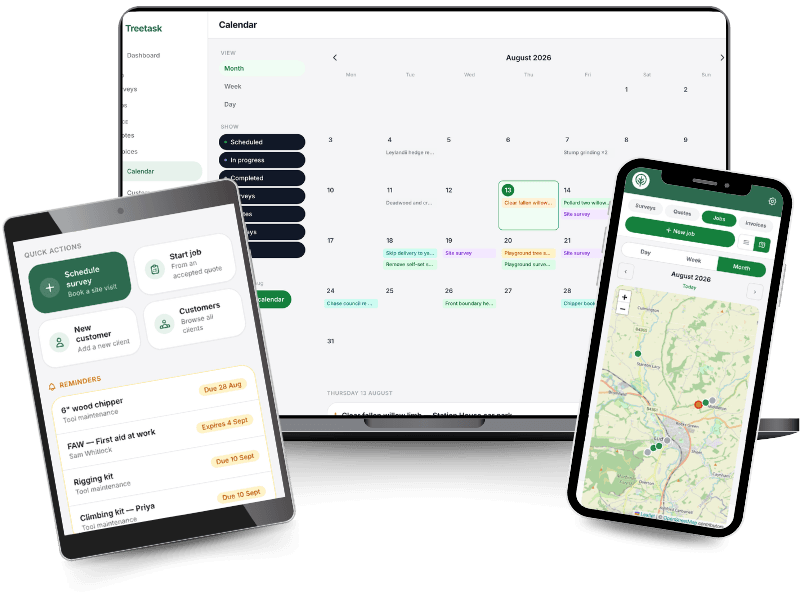
From site surveys and job details to crew management, invoicing, equipment and safety records, Treetask gives you the tools to keep the whole business organised.
Whether you’re on the job or back at the office, it works the same on a phone and a laptop.
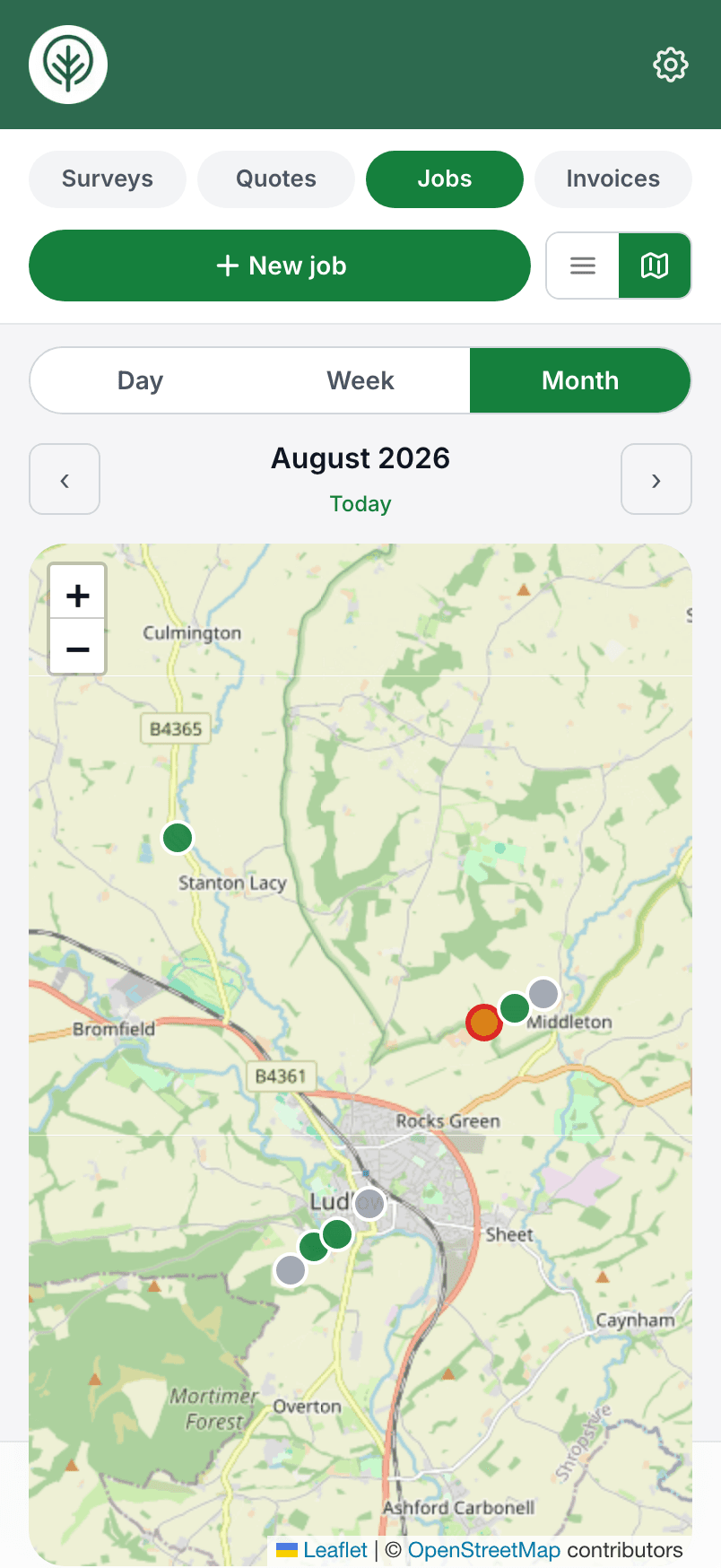
The day’s jobs
What’s included
Admin and business management.
Tools that make running the business straightforward. Surveys, quotes, jobs and invoices, the week scheduled on one calendar, your team’s tickets and qualifications with reminders before they lapse, tool maintenance logged against each item, and every customer’s details and history kept together.
Site surveys
Booked on the calendar, completed on site.
Quotes and invoices
Priced from the survey, invoiced from the job.
Site jobs
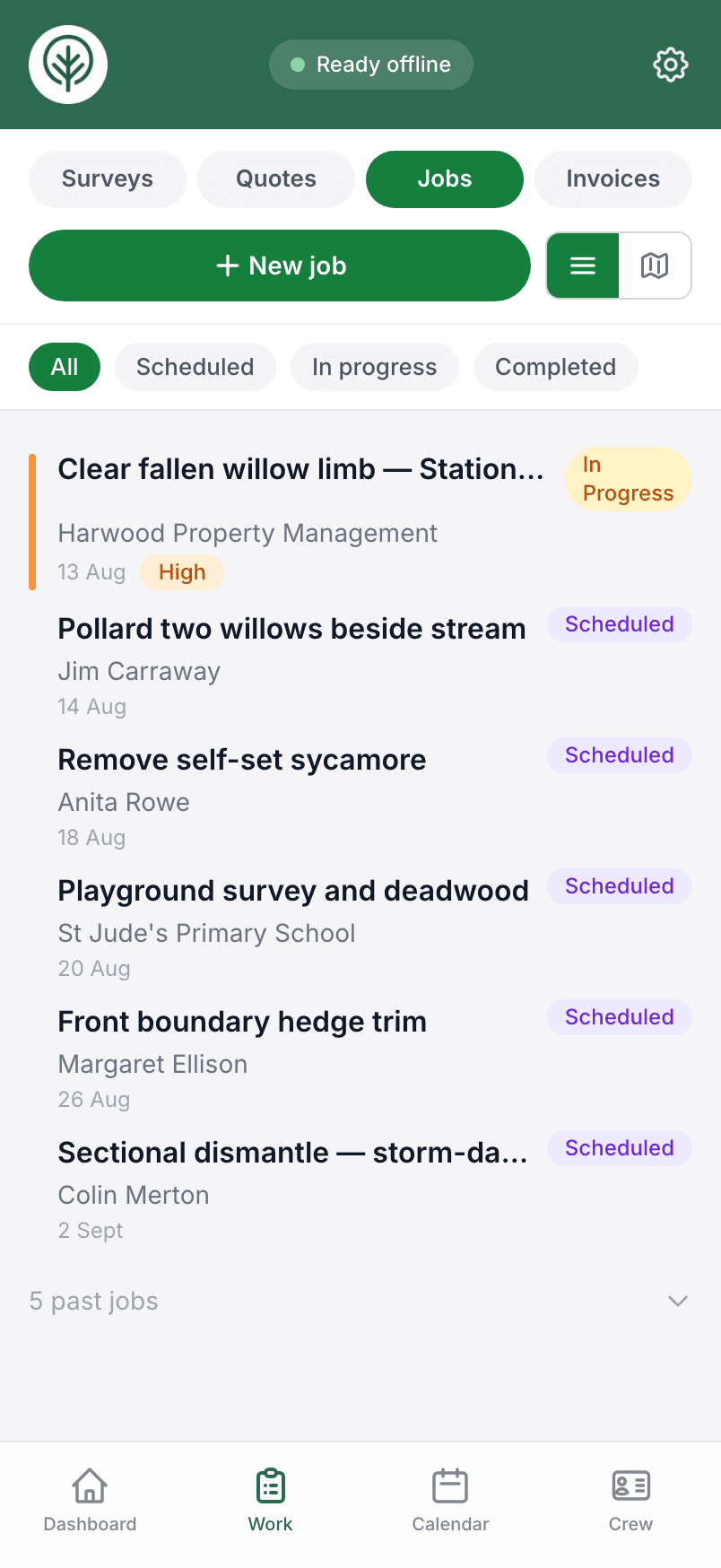
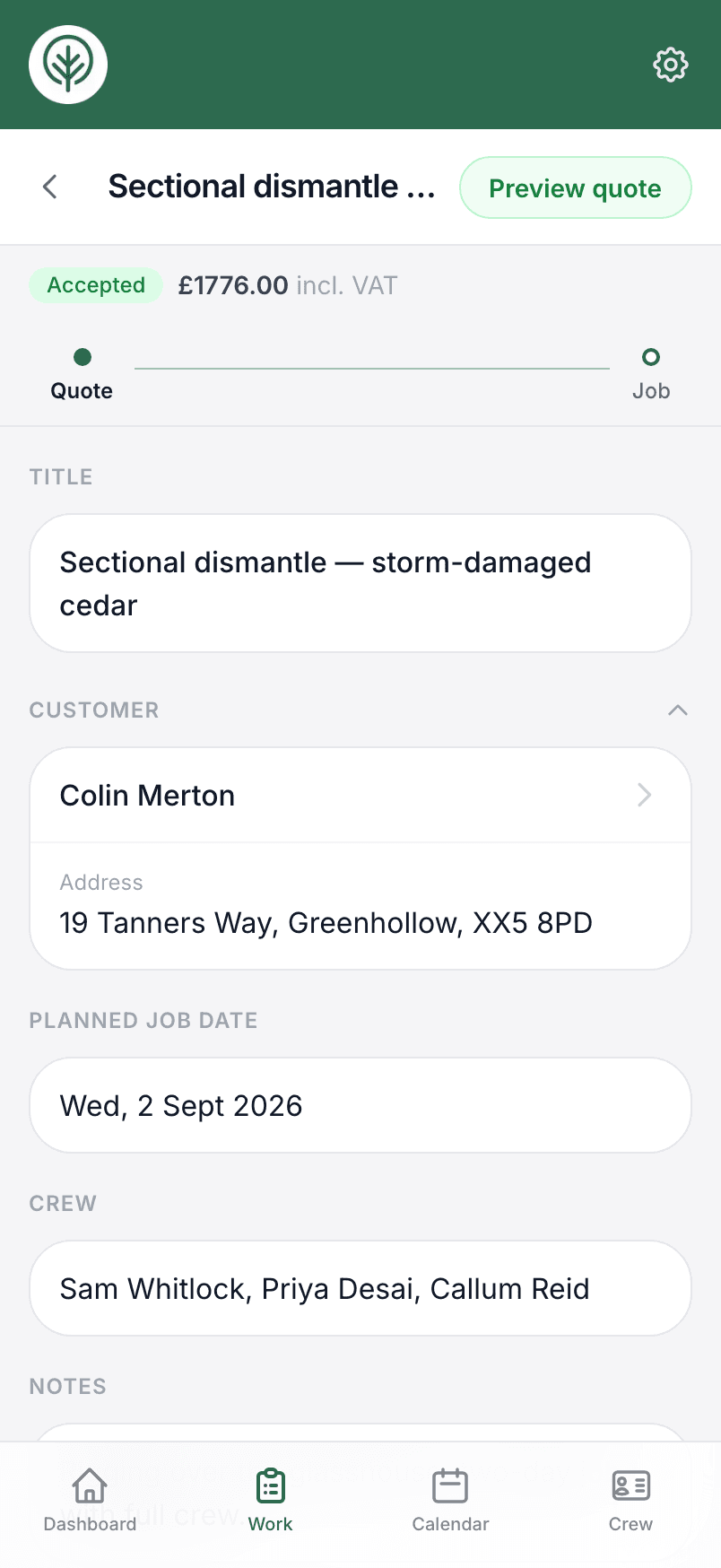
Everything you need to run the day's work.
On site and offline
The phone in the field, the laptop in the office.
Your crew
Who's on what, and whose tickets are in date.
The calendar
Jobs, surveys and crew holidays, week by week.
Customer history
Every survey, quote, job and invoice you've done for them.
Kit and safety records
Tool servicing, the accident book and the crew induction.
Everything is stored in the platform, and the whole team works from the same records.

See it in action
The same platform,
on site and in the office.
Full width on the laptop when you’re quoting and invoicing at the desk, and in your pocket on the phone when you’re out on the job. One login, the same records either way.
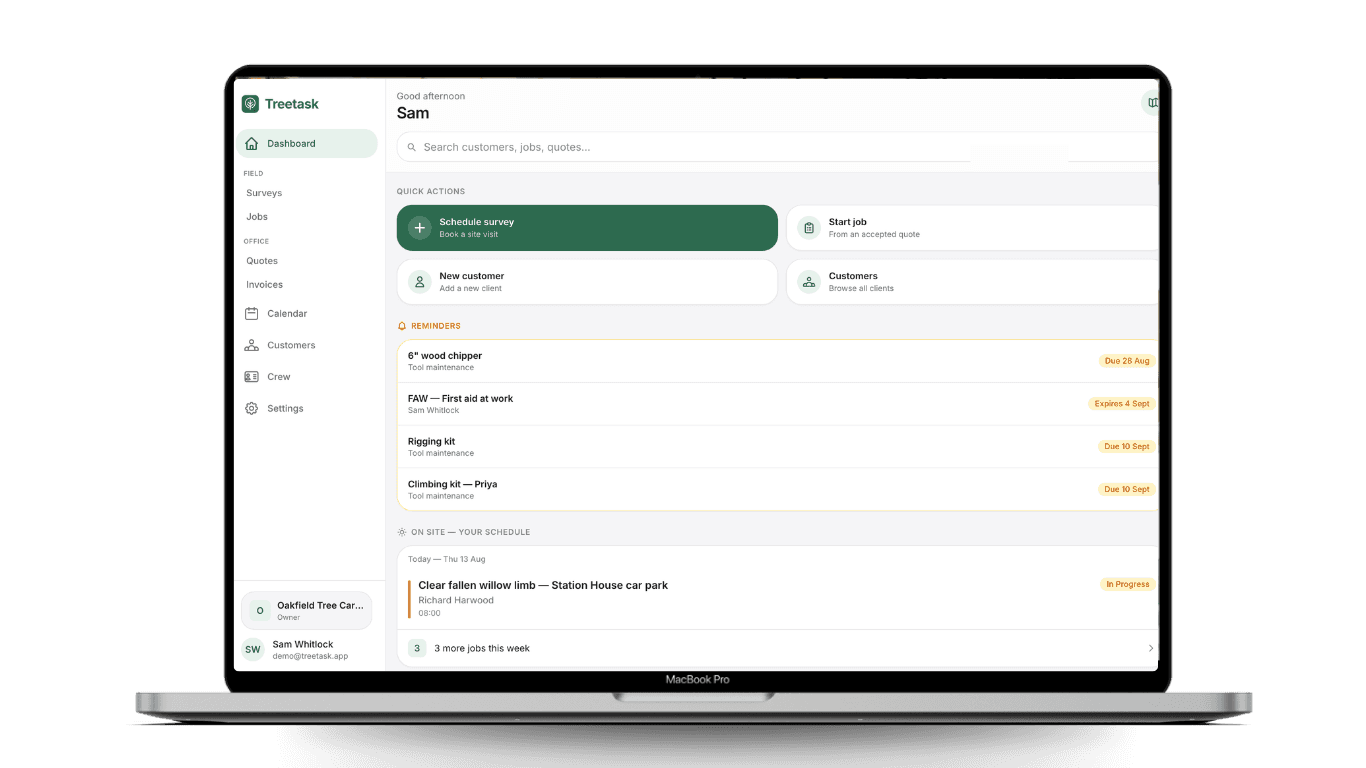
Intuitive workflow
Saving you time and paperwork.
Turn a site survey into a customer quote in a couple of taps. The tasks and prices you set on site are still there when the work is done, so the invoice is quick to raise and matches what you actually quoted.
Enter it once
Add a customer once and their survey, quote, job and invoice all use the same details. Choose whether you do your admin on site or back in the office.
Keep your team updated
Hand a job to your team or contractors and they see the site, the tasks and the risk assessment without a phone call.
Consistent workflow
Every survey, risk assessment, quote and invoice follows the same shape, so nothing gets missed and every job looks and runs the same, whoever on the crew is doing it.
On site or at the desk
The same platform on the phone out on site and full-width on a laptop for the office work. The field and the admin share one place and one set of records, not a pile of paper you type up later.
Customer billing
From the first visit to the paid invoice.
Turn a site survey into a quote, the quote into a job, and the job into an invoice, or start any of them from scratch. Each one is saved against the customer, so the whole record is in one place.
- 01
Survey
Do the survey while you're there.
Fill in your survey on your phone, take photos, add notes and check TPO information. No paper form to bring back to the office.
- 02
Quote
Turn the survey into a quote.
The customer and site details are already there. Add the work and prices, then send the quote as a PDF or through QuickBooks.
- 03
Job
The crew get what they need.
Assign the job and they can see the site, tasks, photos and risk assessment on their phone. No hunting through WhatsApp for the details.
- 04
Invoice
Finish the job. Send the invoice.
The work and prices are already there, so you aren't building the invoice from scratch.
Features
Everything you need to run your business.
Treetask manages the day-to-day — the week’s work, the crew, the quotes and invoices — as well as the records you keep for the long run, like tickets, tool inspections and your safety paperwork. Tap a card to see what each part does.
QuickBooks
Keep your books in QuickBooks.
Treetask handles quoting and invoicing on its own. If your accounts live in QuickBooks, connect the two and run the work from Treetask while QuickBooks stays up to date — no copying figures across at the end of the month.
Bring your customers across
Import your existing QuickBooks customers in one go, so nobody sits retyping the address book.
Send quotes and invoices from the platform
Push a quote or invoice from Treetask and QuickBooks emails it to the customer from your own account.
The two stay in step
What you send lands in your books straight away, and when a customer accepts a quote or pays an invoice, Treetask updates to match.
Entirely optional — Treetask does the numbering, VAT and PDFs itself if you’d rather not connect anything.
How the integration works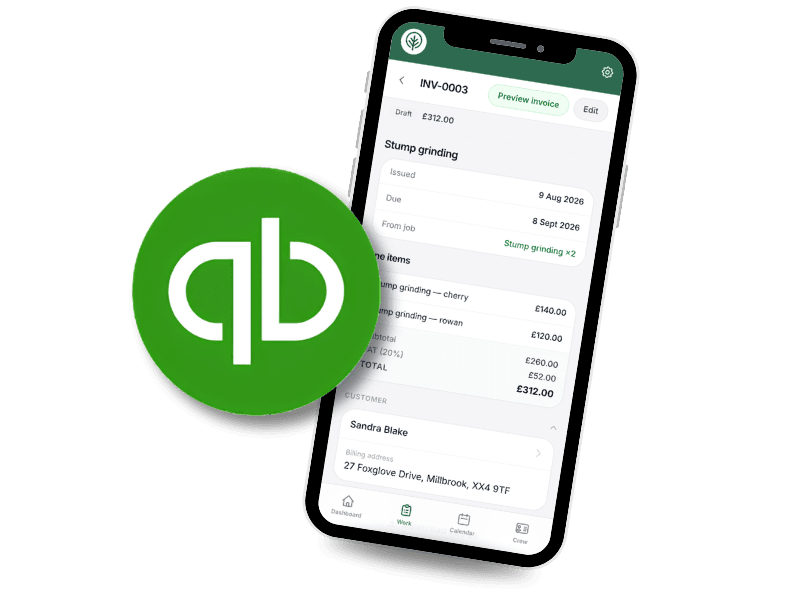
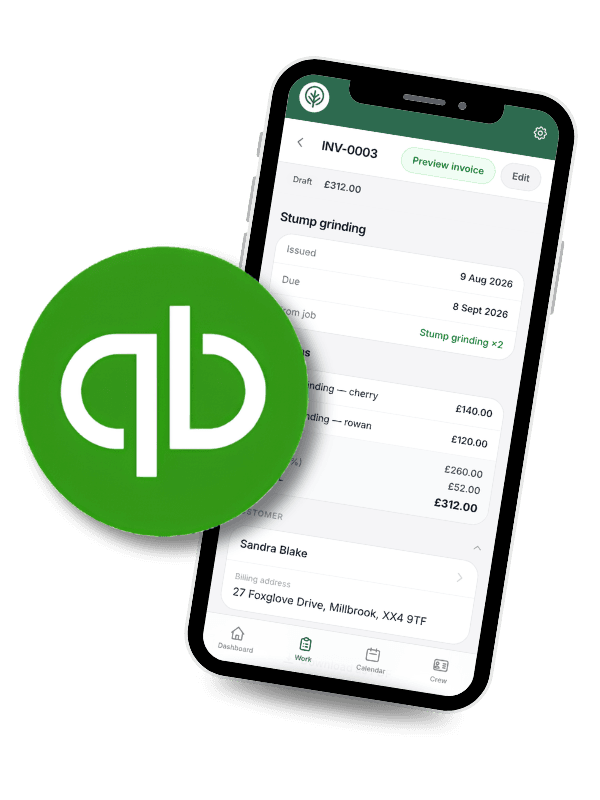
Offline mode
No signal? Keep working.
Plenty of sites have no reception. Treetask keeps the day’s jobs on the phone itself, so losing signal doesn’t stop you — and it syncs on its own the moment you’re back in range. We’re widening what works fully offline all the time.
Your day’s jobs, on the phone
Open your scheduled jobs and their details with no signal at all. They’re stored on the phone itself, not fetched from a server.
Get the work done, not just read it
Tick tasks off, edit the job, fill in a survey or file an incident with no bars showing. It all saves straight to the phone.
It catches up on its own
Anything saved offline shows at the top of the screen until it has synced. Get within a bar of signal and it uploads quietly in the background.
Pricing
One platform.
Priced by the size of your team.
Every plan is the whole of Treetask. The only difference is how many of you are on the account. Priced for a working outfit, and you can cancel whenever you like.
Free for everyone until 30 November 2026. These are the prices from December.
Up to 3 people
£40/month
per business · no VAT to add
A small team
A climber, a groundie and the office.
Get started freeUp to 5 people
£60/month
per business · no VAT to add
A medium team
Two teams out, one set of records.
Get started freeMore than 5 people
Talk to us
Priced on the size of your team
A larger team
More crews, more of you on the account.
Get in touchEvery plan includes
- Every feature on this page
- Unlimited surveys, quotes, jobs and invoices
- Photo storage included
- Offline mode on every phone and tablet
- QuickBooks connection
- Guided setup and built-in help
Have a look round first — no card needed to sign up, and nothing charges until the free period ends.
Questions
The things people ask.
What does it cost?
Nothing until 30 November 2026. Treetask has just opened to everyone, and the whole platform is free until the end of November — every feature, as many jobs and as many of your crew as you like, and no card asked for at sign-up. After that Treetask becomes a paid subscription, from £40 a month for up to three people, with no VAT to add. Nothing starts charging on its own — there’s no card on the account to charge.
What if I decide not to carry on in December?
Then you stop, and nothing happens to you — there’s no card on the account and no notice to give. Everything you put in is yours: from Settings you can download the lot, as a spreadsheet you can read or a full backup file, whenever you like. Do that and walk away.
It’s free — what’s the catch?
You’re using it while we’re still building it. Some of it is newer than the rest, and you may find a rough edge or ask for something that isn’t there yet. That’s the trade: you get the whole platform for nothing over the back end of the year, and we get told what a working tree surgery firm actually needs. Tell us what’s missing and we’ll build it.
Do I need to download it from the App Store?
No. Open Treetask in your phone’s browser and tap “Add to Home Screen”. It gets its own icon, runs full screen like any other app, and updates itself — no store, no waiting for approval, nothing to reinstall.
What actually happens when I lose signal?
Your day’s jobs stay on the phone, so with no signal at all you can still open them, tick tasks off, edit the job, fill in a survey or file an incident. Anything saved offline shows at the top of the screen until it has synced, and it uploads on its own the moment you’ve got a bar. We’re steadily widening what you can do fully offline.
Can my crew use it as well?
Yes, and bring all of them — there’s no limit on the account while Treetask is free. Invite them by email and they arrive on Site access: they can do surveys, jobs, risk assessments and photos, while quotes, invoices and prices stay with the office. Promote anyone to Full access when you’re ready.
Do I have to use QuickBooks?
Not at all. Treetask does quoting and invoicing on its own — numbering, VAT, PDFs, the lot. If you do use QuickBooks, connect it and push invoices across in a tap. Xero is on the list.
What about the customers I’ve already got?
Import them straight from QuickBooks if they’re in there, or add them as the work comes in. Each customer keeps a full thread of their surveys, quotes, jobs and invoices from then on.
Does it work on a laptop?
Yes. Same platform, same data, laid out for a bigger screen with a proper sidebar. Most people survey and run jobs on the phone, then do the quoting and invoicing at a desk.
Is there a contract?
No. There’s nothing to sign and nothing to cancel — you aren’t paying anything at the moment. When paid plans start it will be monthly, with no setup fee and no notice period. Your records are yours either way: download everything from Settings at any time.
Free until 30 November
Put your next job through Treetask.
Treetask is open to everyone and free to use until 30 November 2026. Set your business up, invite your crew and run real work through it. No card needed and nothing to install.
After that Treetask becomes a paid subscription, from £40 a month for up to three people, with no VAT to add. Nothing starts charging on its own — there’s no card on the account to charge.
Get in touch
Want to ask something first?
You don’t have to go through us to start — sign up and the account is yours in a couple of minutes. If you’d rather talk to someone first, leave your details and we’ll come back to you.
- Questions about whether it fits how you work
- A walk round the app with someone
- Getting your customers or crew imported
Prefer email? hello@treetask.app