
The whole week, on one calendar.
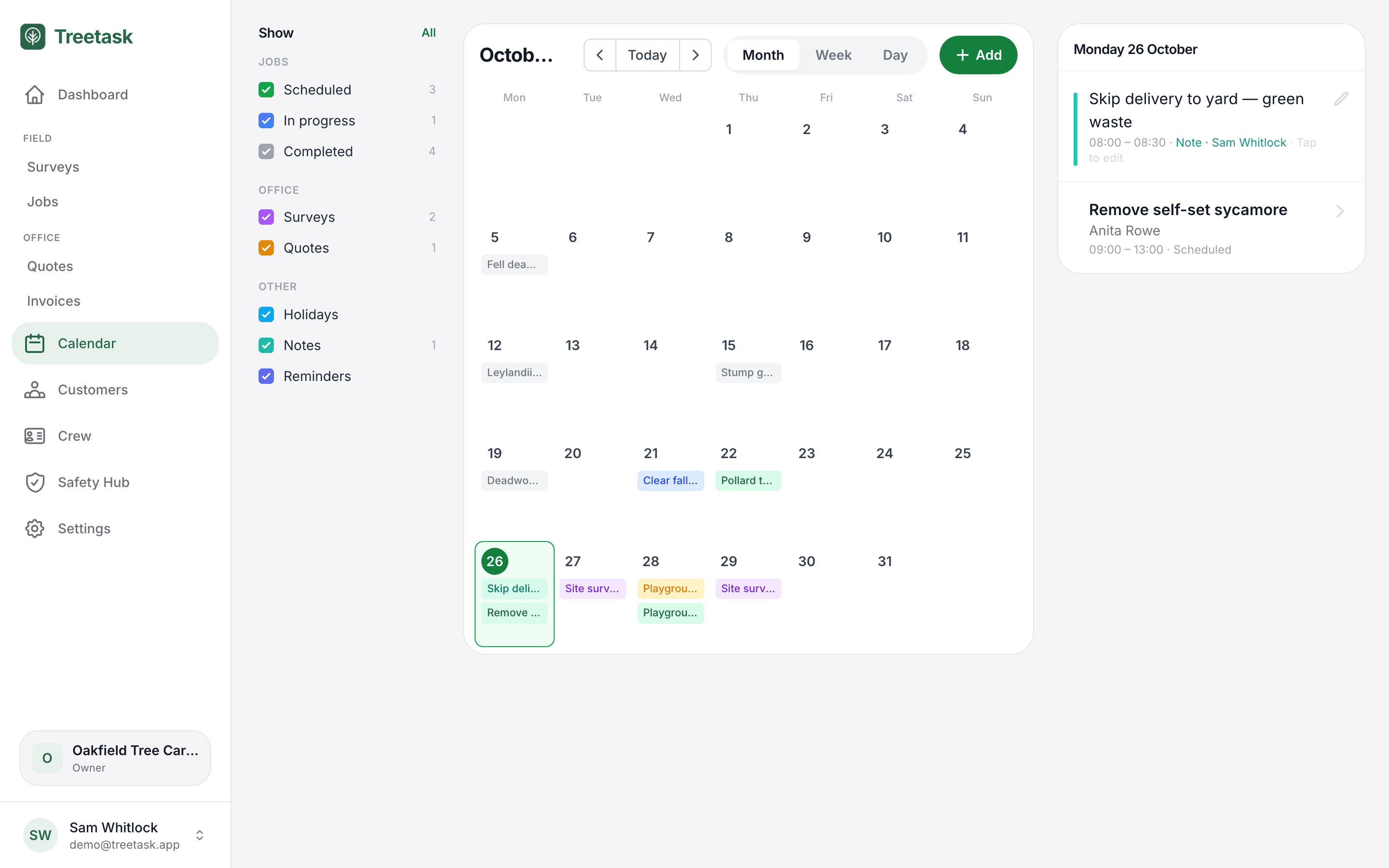
Jobs, surveys, quote dates and crew holidays together, so you can see who's free before you book work in.
What’s in it
Plan the week in a few taps.
Everything in one view
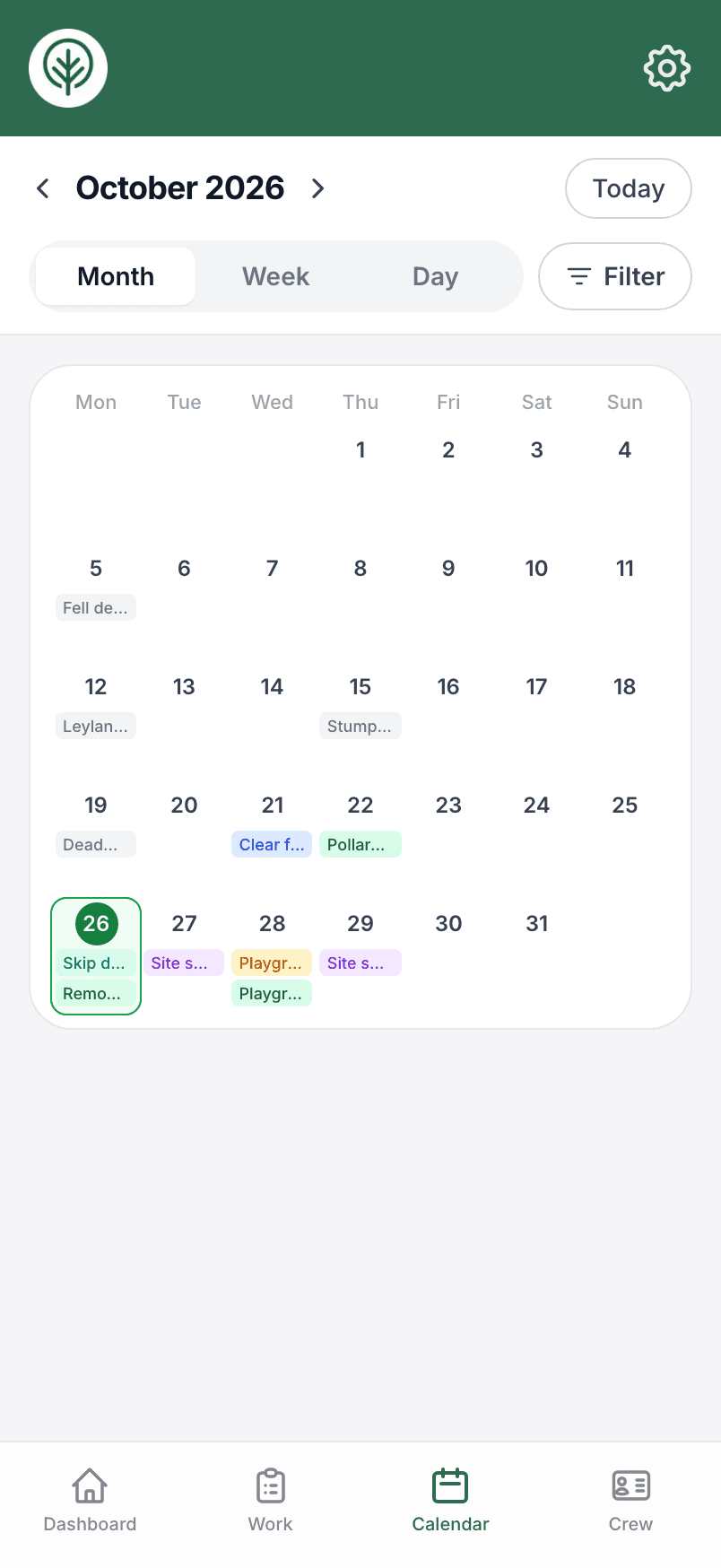
Jobs, surveys, proposed quote dates and holidays, by month, week or day.
Add straight onto a day
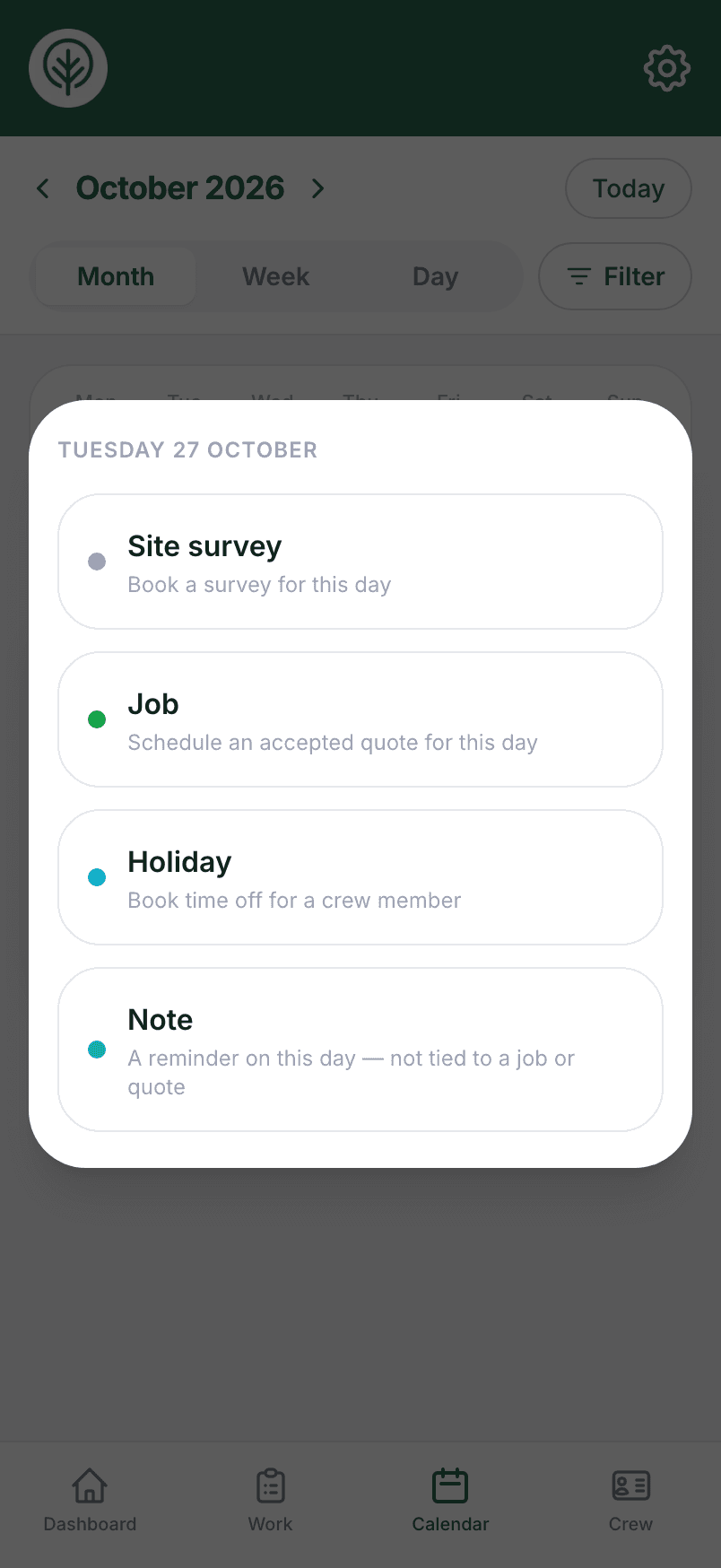
Tap a day to book a survey, schedule a job, add a holiday or pin a note.
Jobs over several days
Book a job from its first day to its last, and it shows on each one.
Notes with reminders
Pin a skip delivery or a council call to a day, with a reminder before it.
Holidays included
Approved time off sits with the work, so cover is never a guess.
Filter what you see
Show only jobs, surveys or a status, on a phone or a desktop.
In your own calendar
Subscribe from Apple, Google or Outlook and your jobs appear there too.
Monday's week ahead
An email to the office each week with the jobs and surveys by day.
Today on the dashboard
Your dashboard opens on today's jobs and what's still to come this week.
Book work in from the day you're looking at
Tap any day to add a survey, turn an accepted quote into a job, book a holiday or leave a note for the team.
Try it on your own jobs.
Set your business up in a few minutes and put a real job through Treetask. Every account starts with 14 days free. You add a card to start, and nothing is charged until the trial ends.